
MES · MANUFACTURING QMS · TRACEABILITY
From production to quality decisions.
One connected record.
Connect work orders, shop-floor records, quality decisions and lot / serial relationships in the same production context.
Industrial software by SentyTech
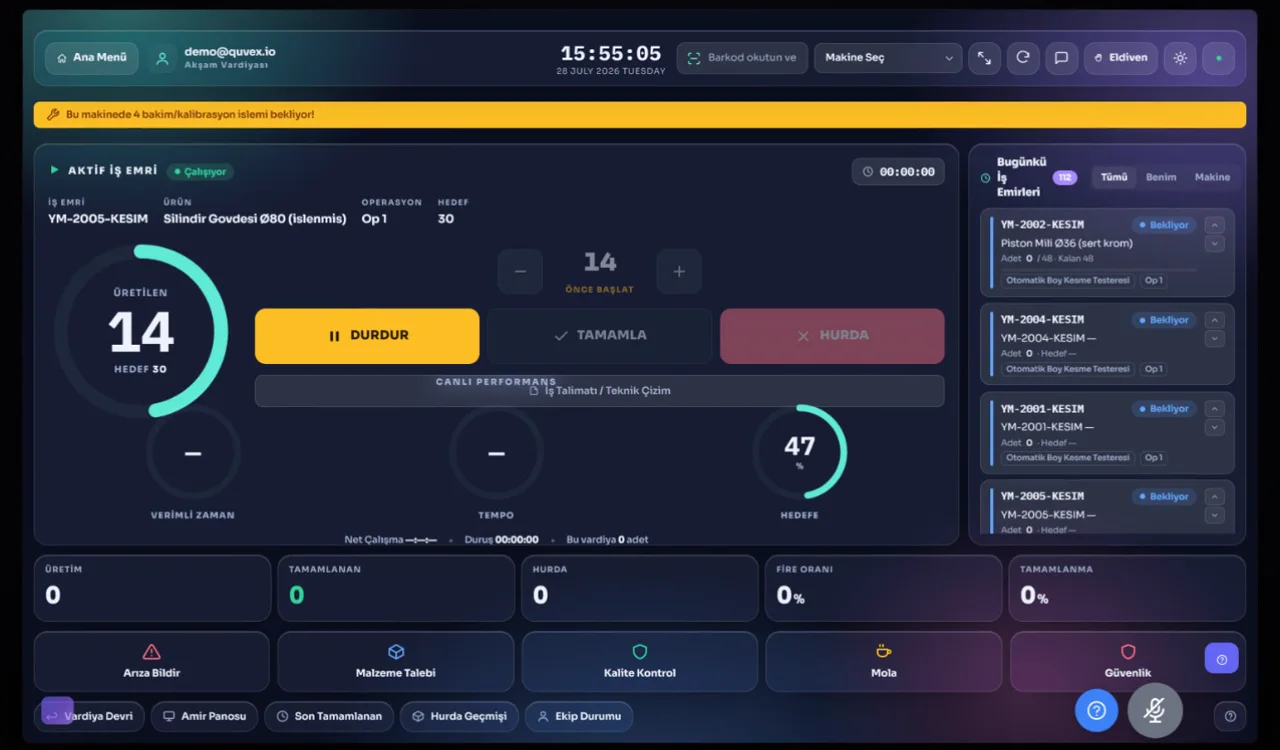
The record starts where the work happens.
01 / THE PLATFORM
Three disciplines.
One production context.
A production record means more when you can follow the quality decision and the material relationships behind it.
MES
From work order to shop-floor record.
Plan work, follow operations and review recorded quantities, downtime and scrap.
Explore capability →02MANUFACTURING QMS
Quality decisions, in production context.
Connect control plans, inspection results, nonconformances and corrective actions.
Explore capability →03TRACEABILITY
Follow the relationships behind a lot.
Review recorded consumption and shipment links with related quality evidence.
Explore capability →02 / INSIDE QUVEX
See the work.
Follow the record.
Explore real product screens. Choose a stage to see how the team works with Quvex.
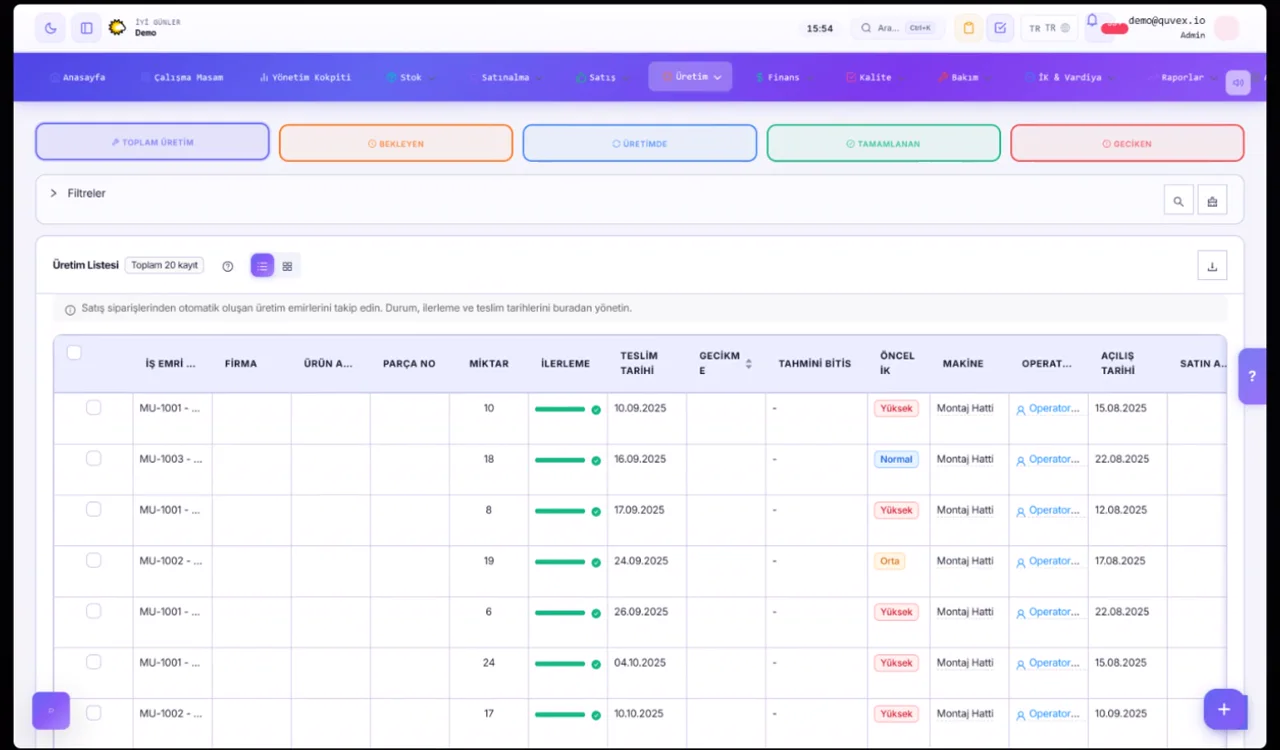
01 / Plan
See work in its production context.
Review work orders, progress, priorities and delivery dates together.
02 / Execute
Bring the record to the shop floor.
Operators record work, quantities and downtime at the point of execution.
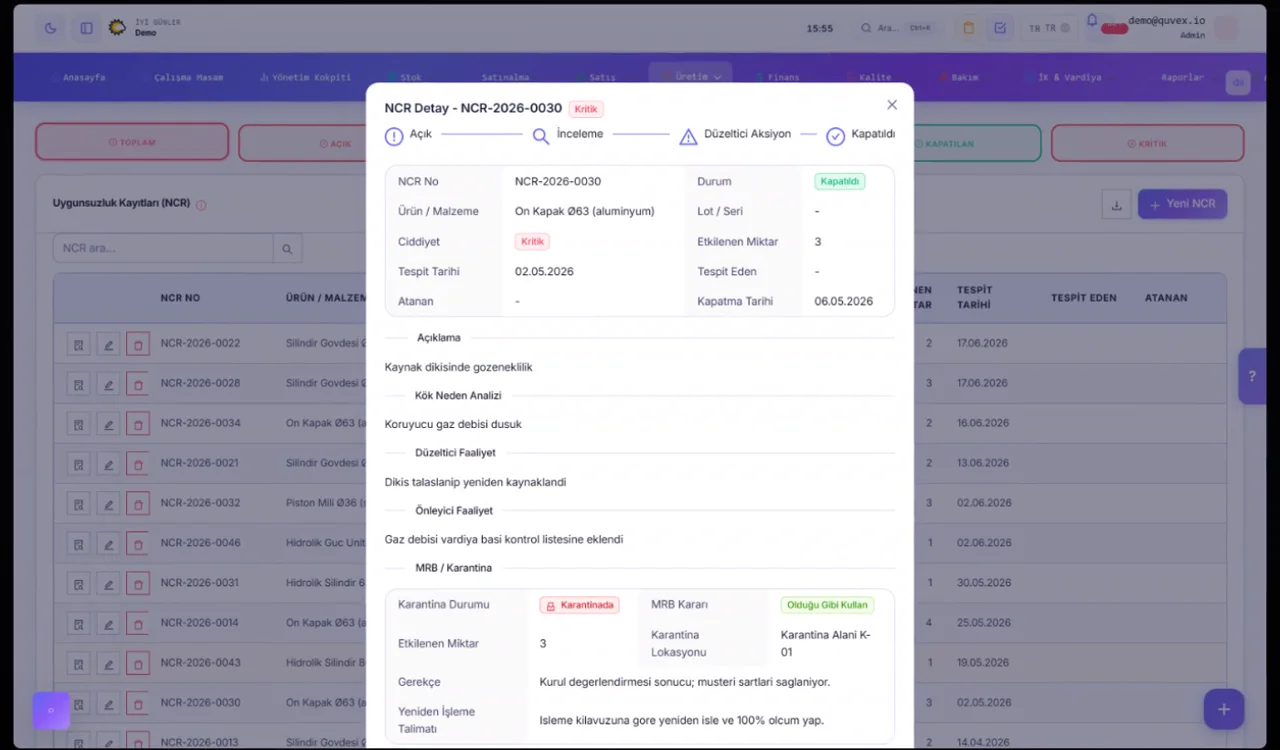
03 / Inspect
Follow the decision behind the defect.
Review the nonconformance, root cause, corrective action and MRB / quarantine information.
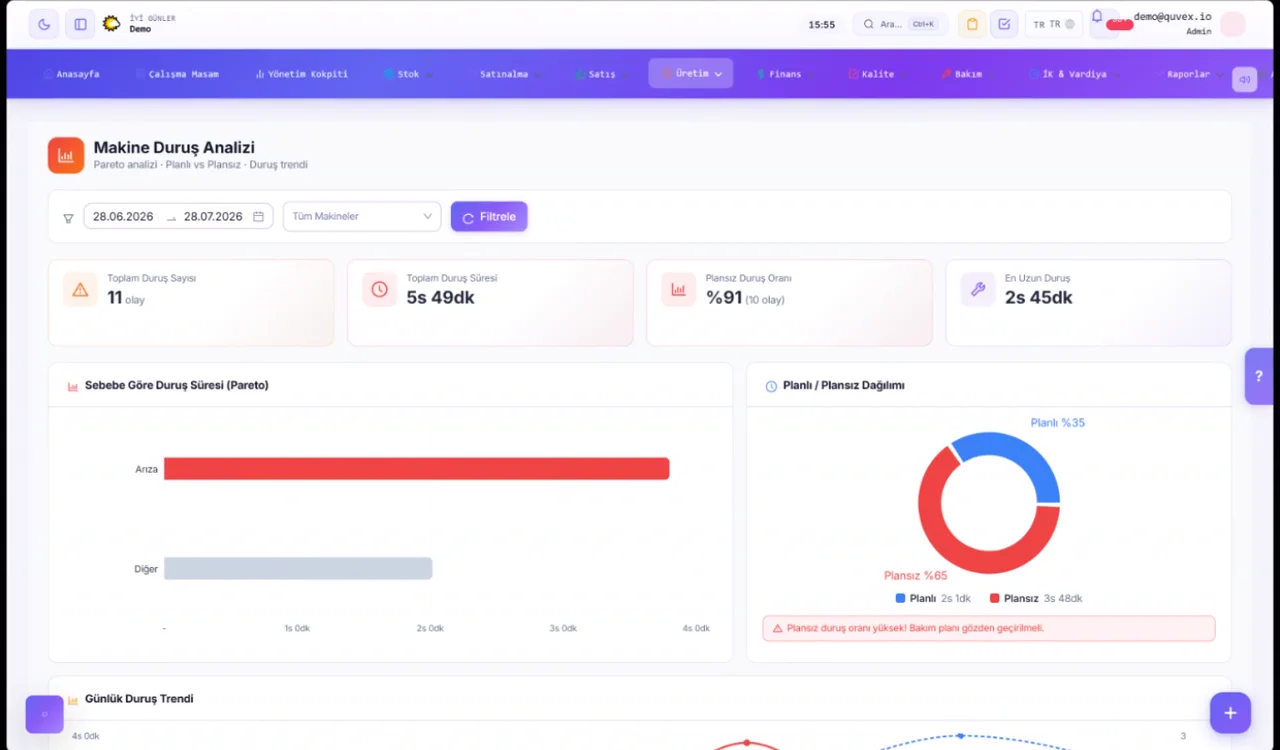
04 / Analyze
Find where production time goes.
Compare recorded downtime by cause and review planned and unplanned losses.
05 / Review evidence
Bring related evidence into view.
Review linked quality records and outstanding items in the audit cockpit. Data Pack scope depends on the available records.
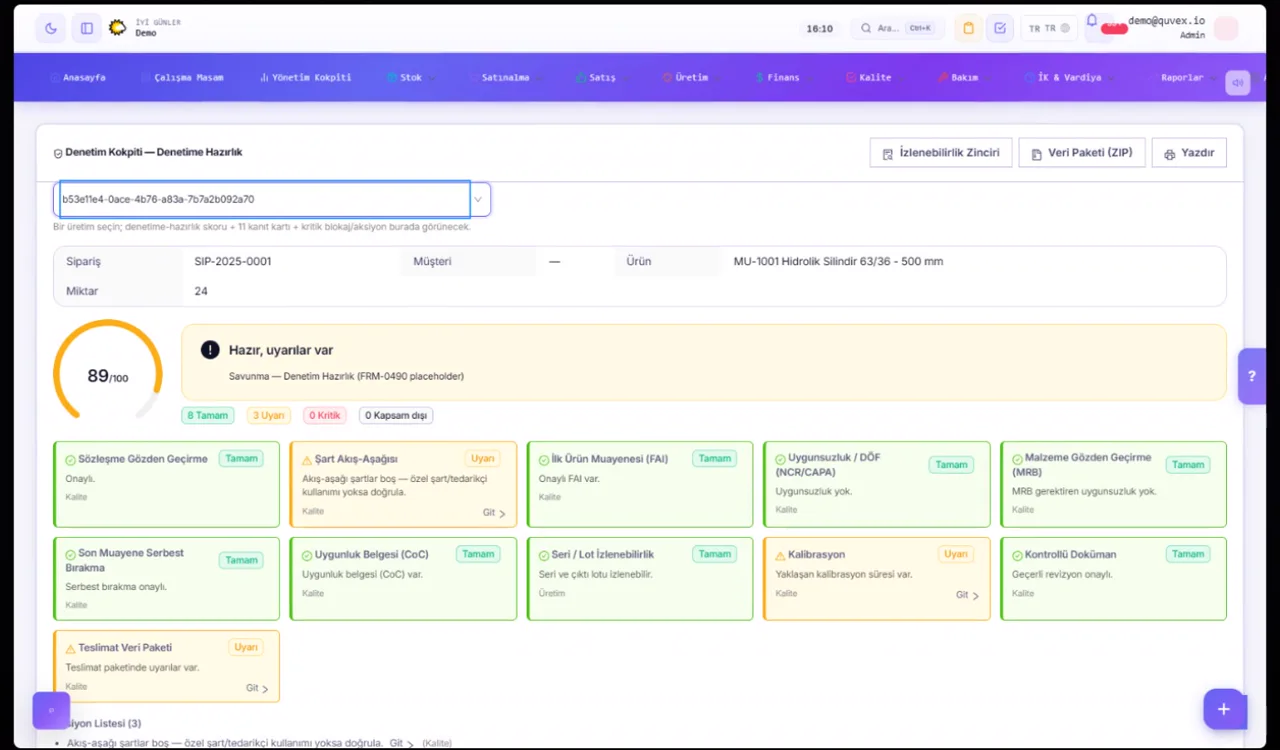
Screens illustrate separate sample records and workflow stages; they do not represent a single work order. The product interface shown is in Turkish.
03 / MANUFACTURING QMS
A quality issue needs a decision. And a record.
Keep the finding, disposition and corrective action connected. Follow ownership and effectiveness checks through the quality process.
Explore quality management ↗- 01
Record the finding
Inspection result → NCR
- 02
Assess the material
MRB decision / quarantine
- 03
Follow the action
Root cause → corrective action
- 04
Review effectiveness
Verification and closure record
04 / DIGITAL THREAD
Not just a lot number.
The relationships behind it.
Trace recorded material consumption, production and shipment relationships forward and backward.
- 01 / MATERIALInput lot→
- 02 / EXECUTIONWork order→
- 03 / QUALITYInspection / decision→
- 04 / DELIVERYShipment→
Illustrative flow. Traceability depends on the relationships recorded in the system; the evidence package is scoped to the available records.
Explore traceability ↗05 / OPERATIONAL VISIBILITY
Understand the loss.
Choose the next action.
Review OEE, downtime causes and quality measurements using the records your team captures.
- OEE: availability, performance and quality
- Downtime: causes and loss distribution
- SPC: control charts and rule-based signals
06 / TECHNOLOGY
Start with your architecture.
Define data ownership, authorization and integration boundaries before connecting your facility.
Architecture and security ↗Authorization · API · Production records
ERP data exchange and industrial connectivity are assessed per project. Ecosystem products are not included as built-in capabilities.
07 / YOUR TEAM
Different responsibilities.
A shared production context.
Quality manager
From inspection to corrective action.
Control plans, FAI, SPC, NCR / CAPA and audit evidence.
Production manager
From the plan to recorded output.
Work orders, operator records, downtime and OEE reporting.
Plant manager
See priorities across operations.
Review progress, losses and open quality actions together.
CTO / IT manager
Understand the technical fit.
Architecture, authorization, API boundaries and deployment requirements.
08 / INDUSTRIES
Your process comes first.
Nine target industries. We define modules, data and acceptance scenarios around your facility’s actual requirements.
Industry templates provide a starting point; scope and acceptance criteria are agreed for each facility.
LET’S LOOK AT YOUR PROCESS
Bring a production scenario.
See it in Quvex.
In around 30 minutes, explore work orders, quality records and traceability with sample data. Then define the scope for your facility.