
QUVEX / PRODUCT TOUR
Explore the Quvex product.
Five stages, real product screens: planning, shop-floor execution, quality, analysis and evidence.
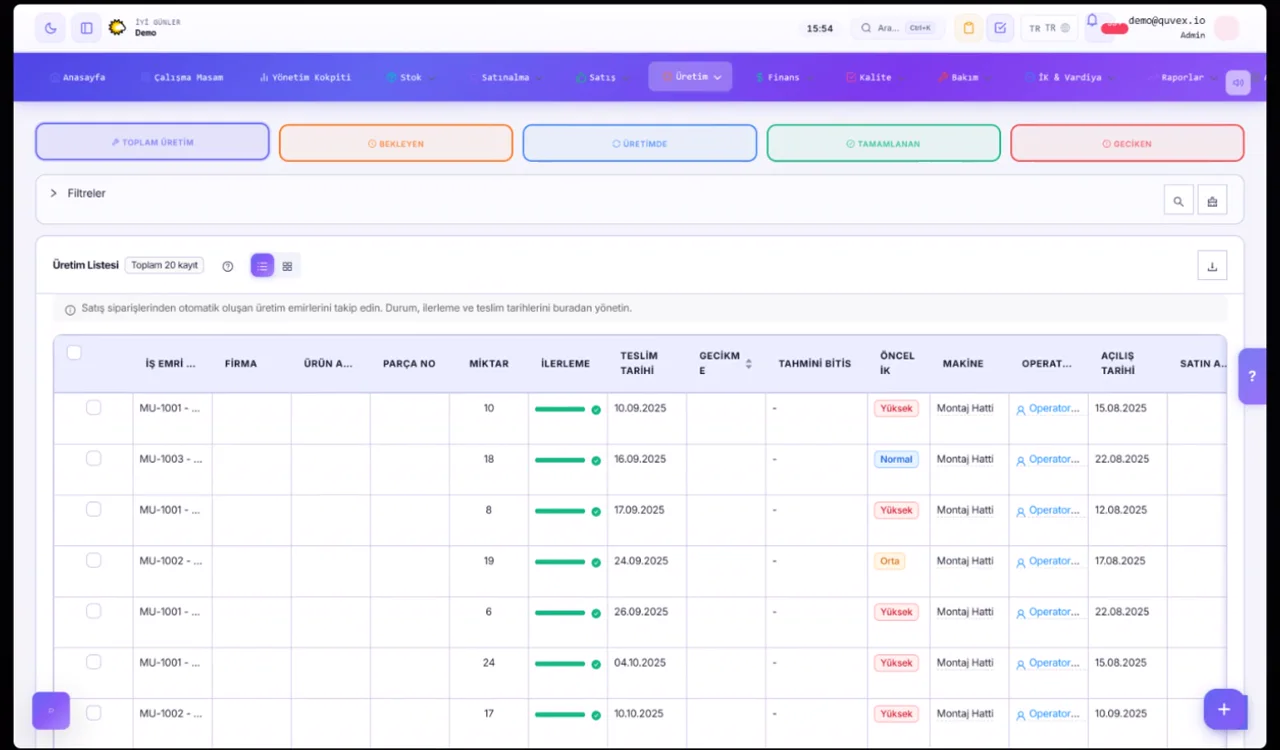
01 / Plan
See work in its production context.
Review work orders, progress, priorities and delivery dates together.
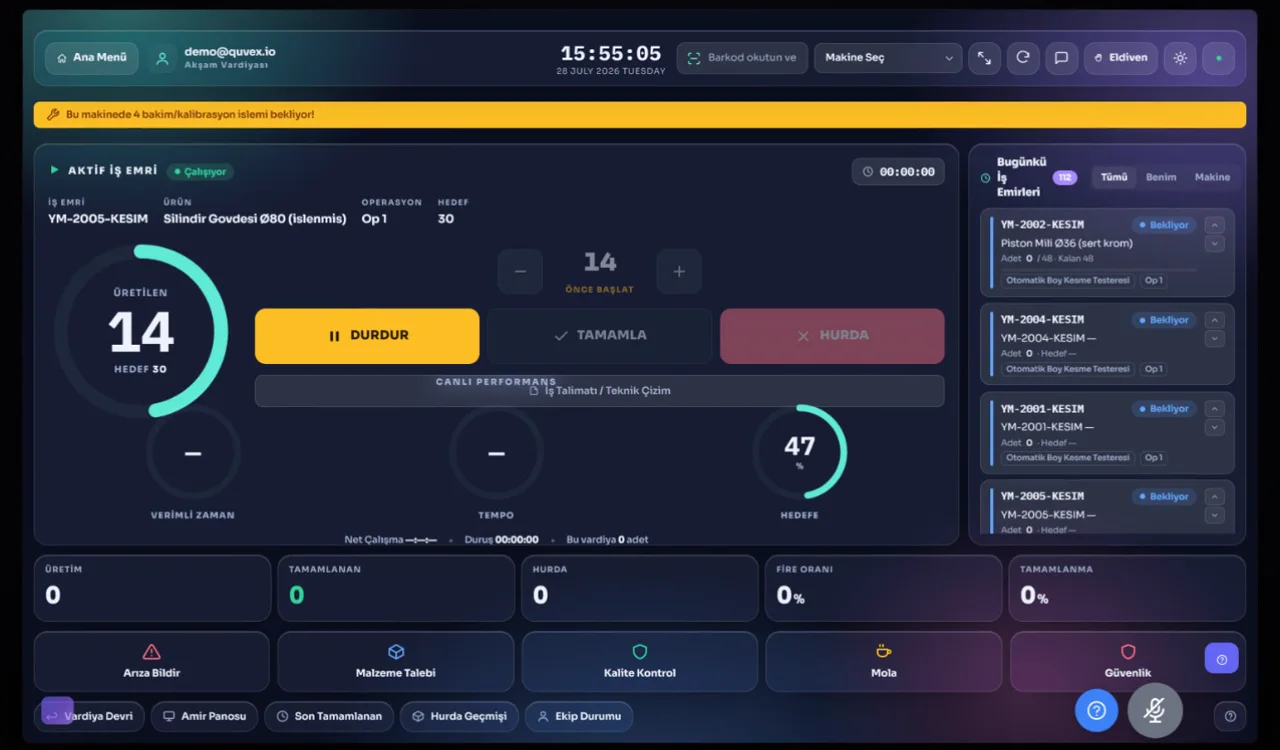
02 / Execute
Bring the record to the shop floor.
Operators record work, quantities and downtime at the point of execution.
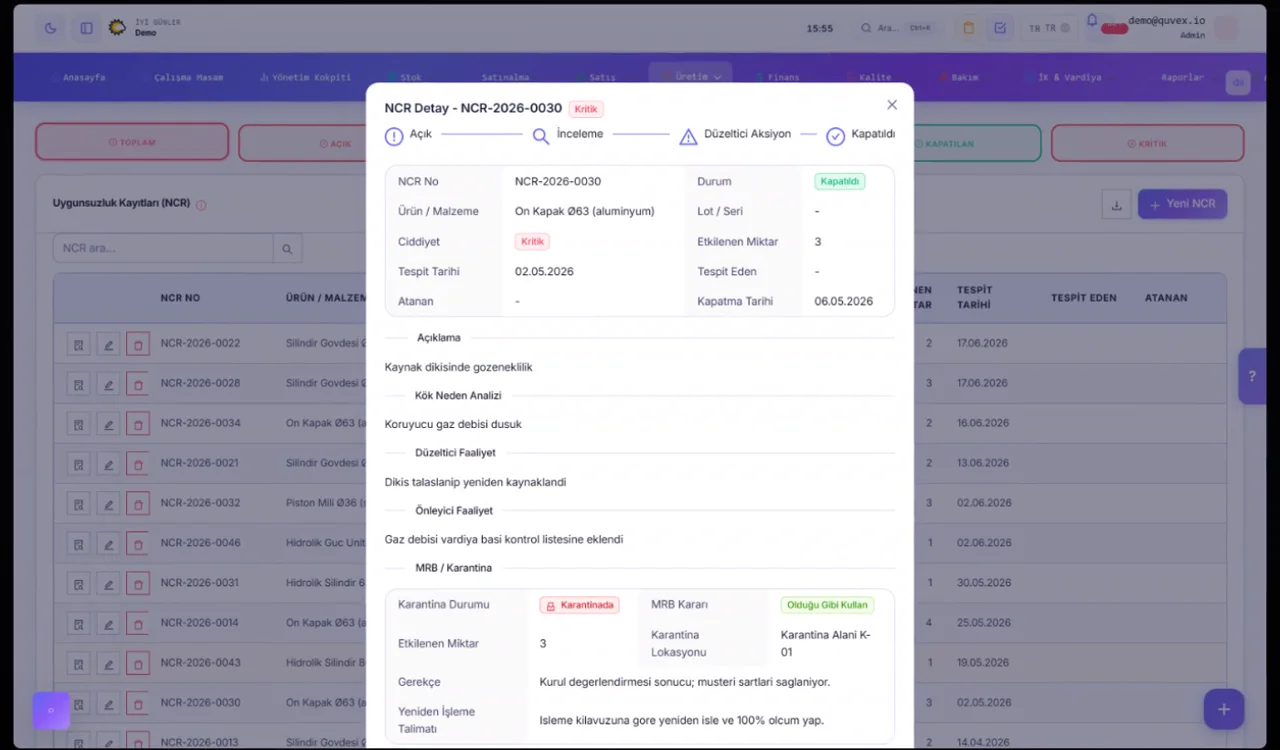
03 / Inspect
Follow the decision behind the defect.
Review the nonconformance, root cause, corrective action and MRB / quarantine information.
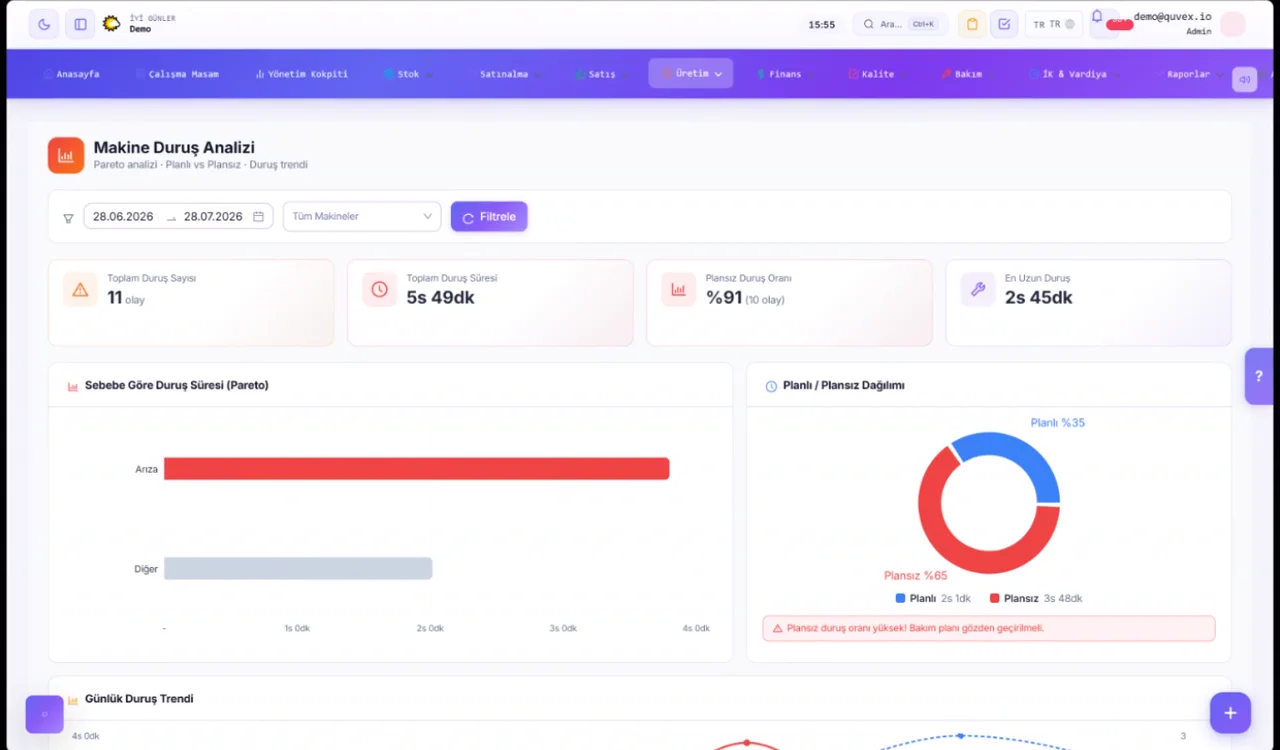
04 / Analyze
Find where production time goes.
Compare recorded downtime by cause and review planned and unplanned losses.
05 / Review evidence
Bring related evidence into view.
Review linked quality records and outstanding items in the audit cockpit. Data Pack scope depends on the available records.
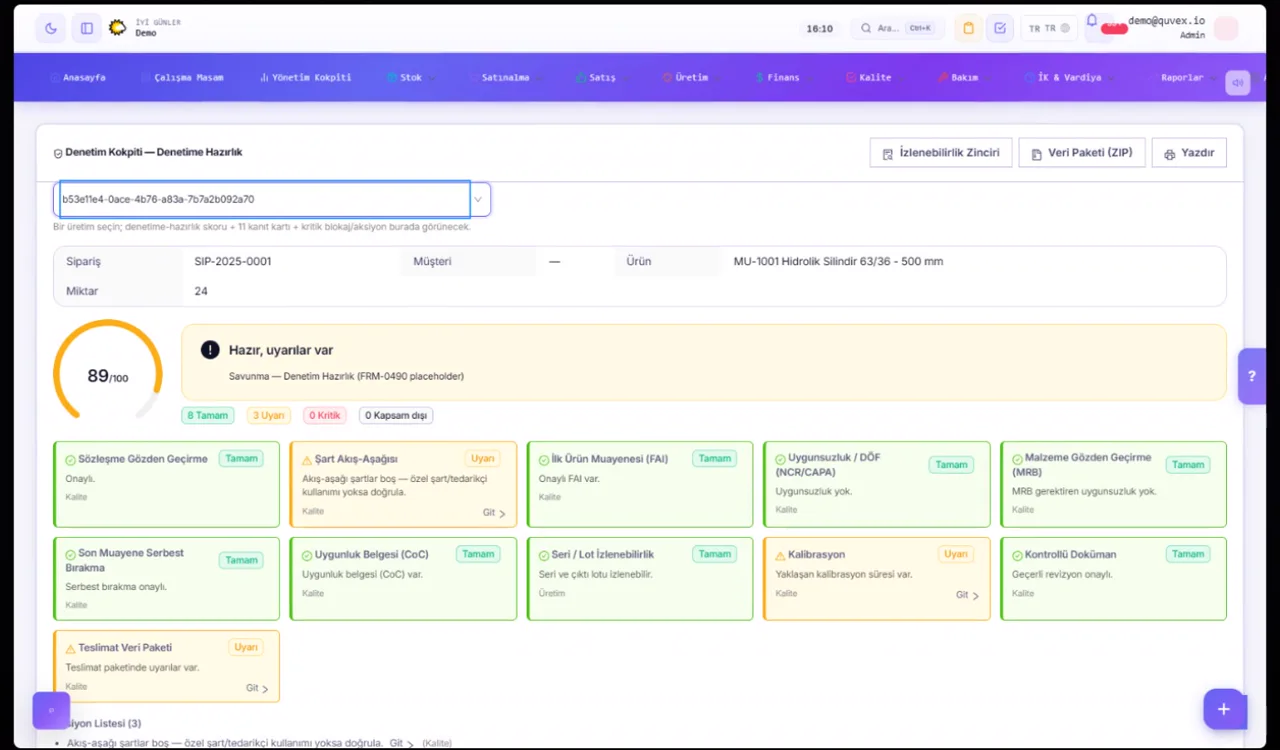
Screens illustrate separate sample records and workflow stages; they do not represent a single work order. The product interface shown is in Turkish.